

Overview
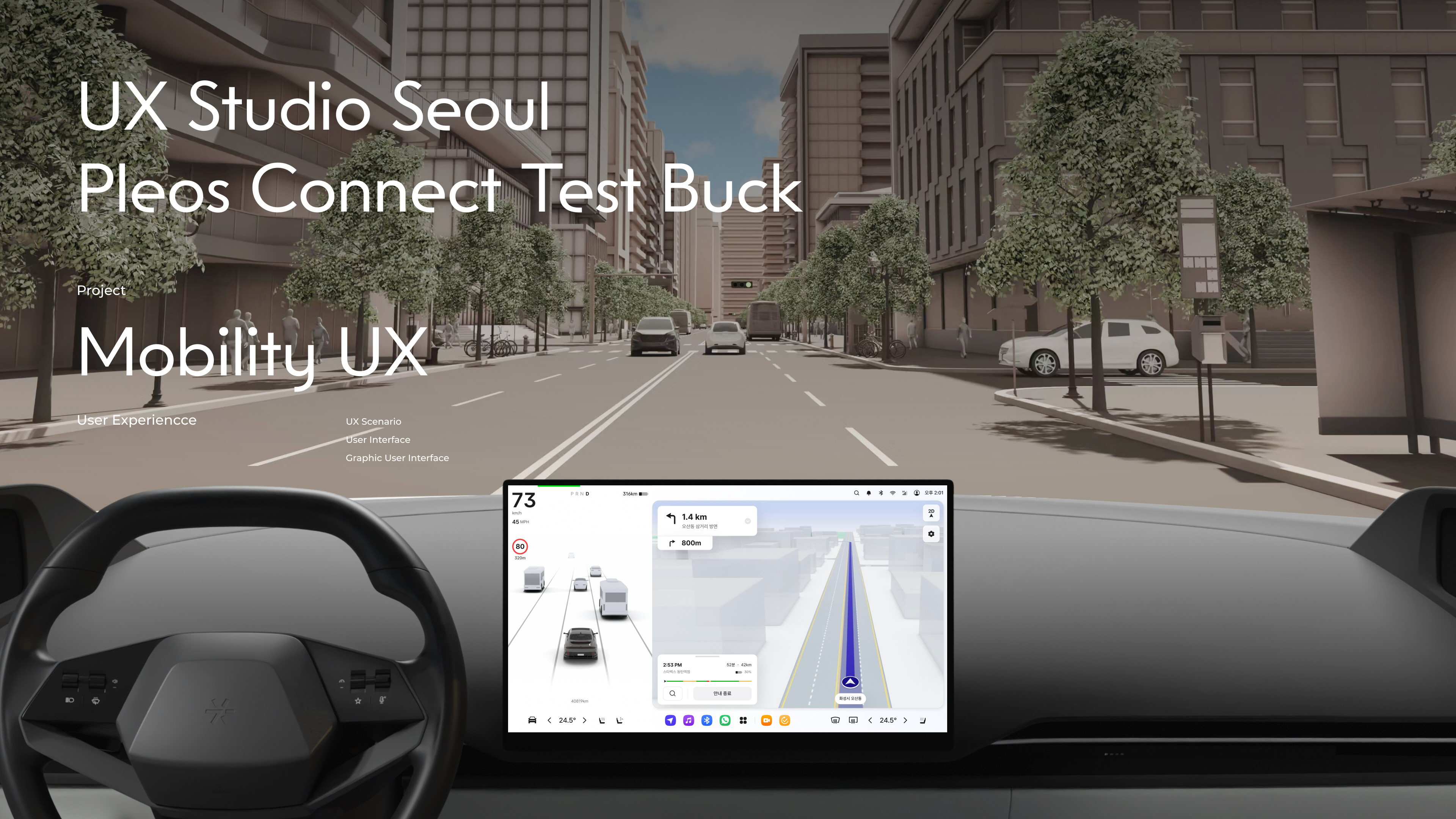
현대자동차 UX Studio Seoul의 Pleos Connect Test Buck 전시 시나리오 기획 및 콘텐츠 제작에 참여하였습니다.
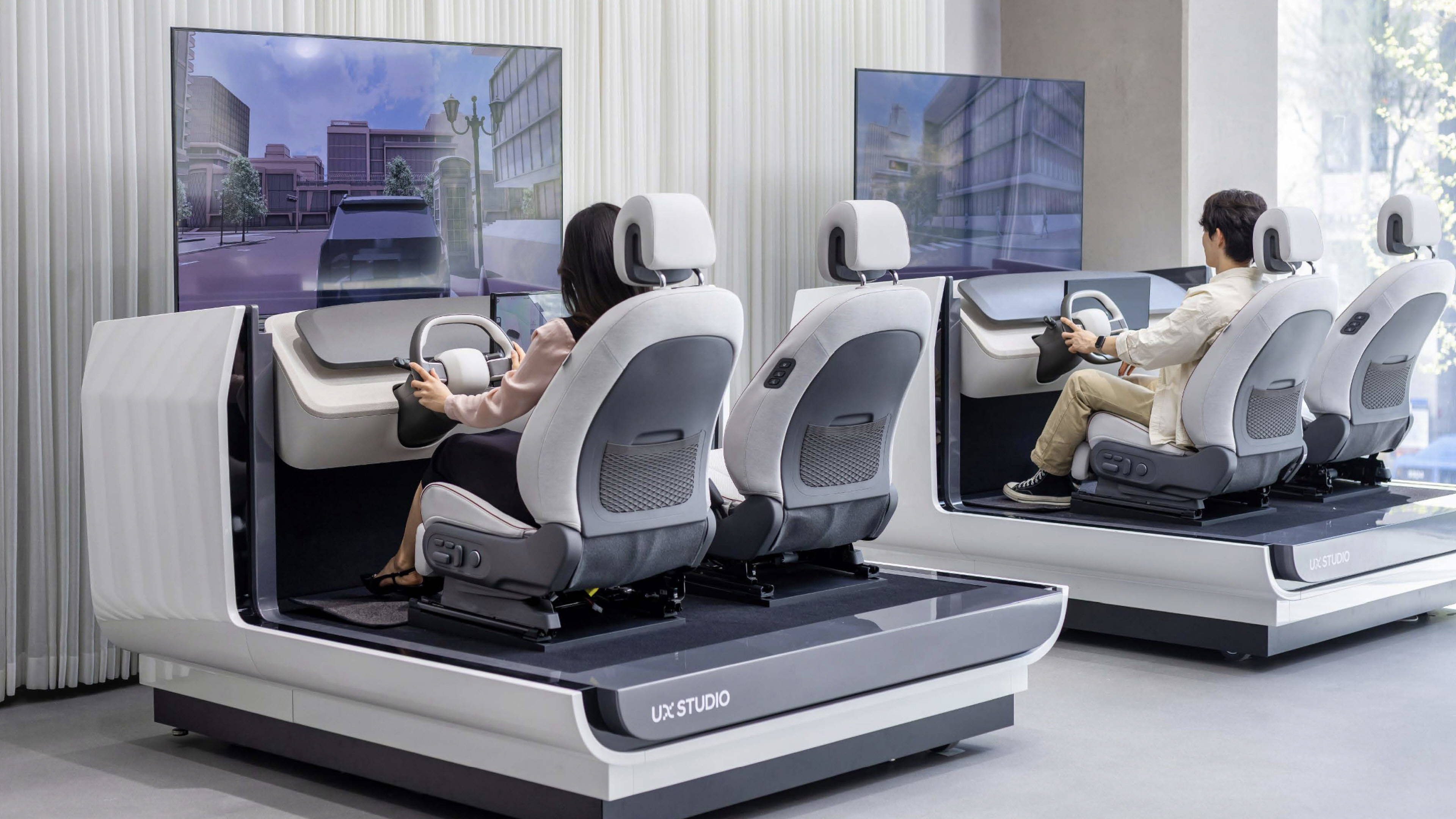
체험자는 현대차그룹의 차세대 인포테인먼트 시스템 Pleos Connect를 실제 차량 환경처럼 조작해보며 UX를 경험하고, 이를 기반으로 객관적인 사용자 데이터가 수집되었습니다.
We participated in the scenario planning and content creation for the Pleos Connect Test Buck exhibition at Hyundai Motor's UX Studio Seoul.
In this project, participants experienced the UX by operating Hyundai Motor Group's next-generation infotainment system, Pleos Connect, in a simulated real-vehicle environment, which allowed for the collection of objective user data.
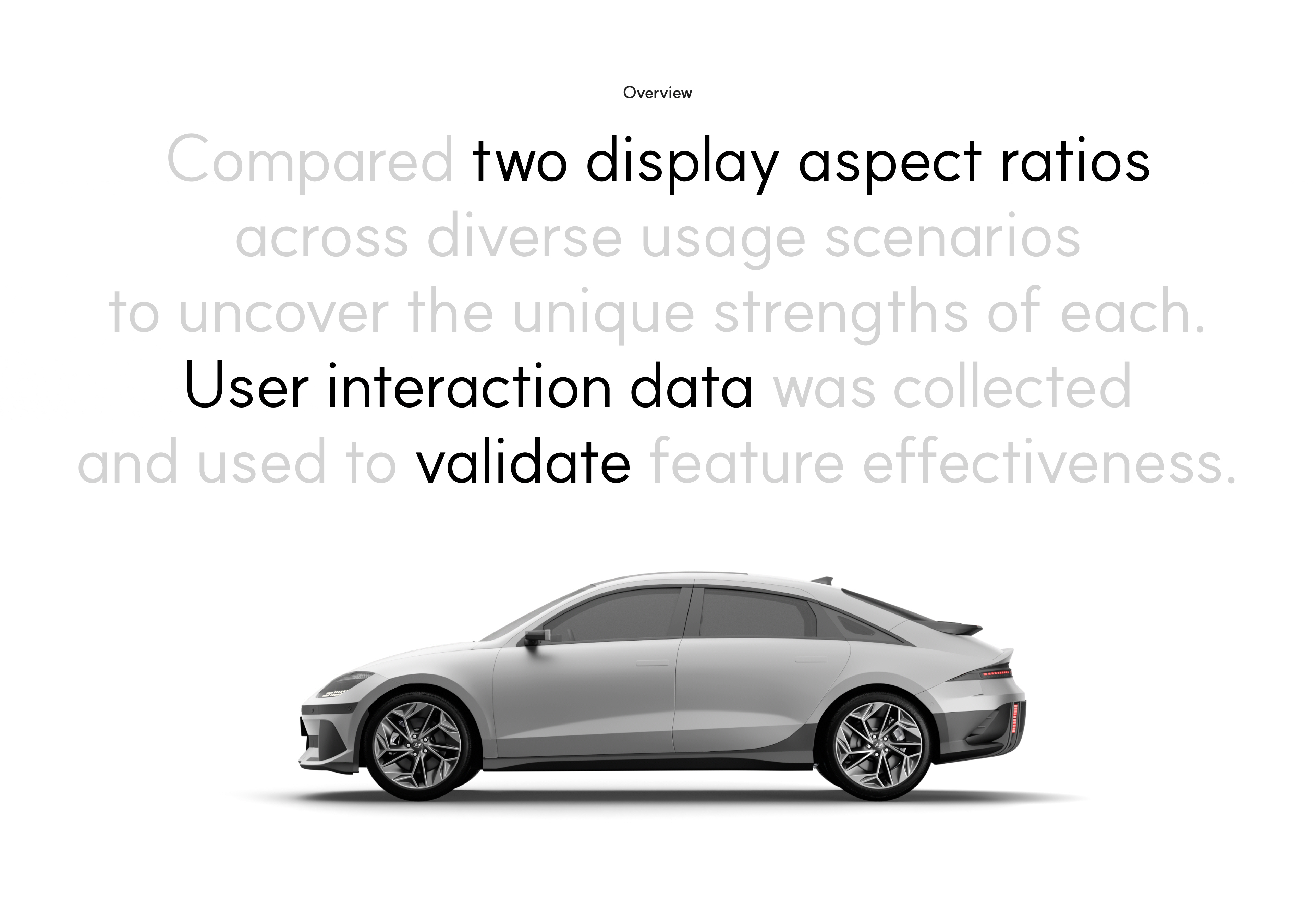
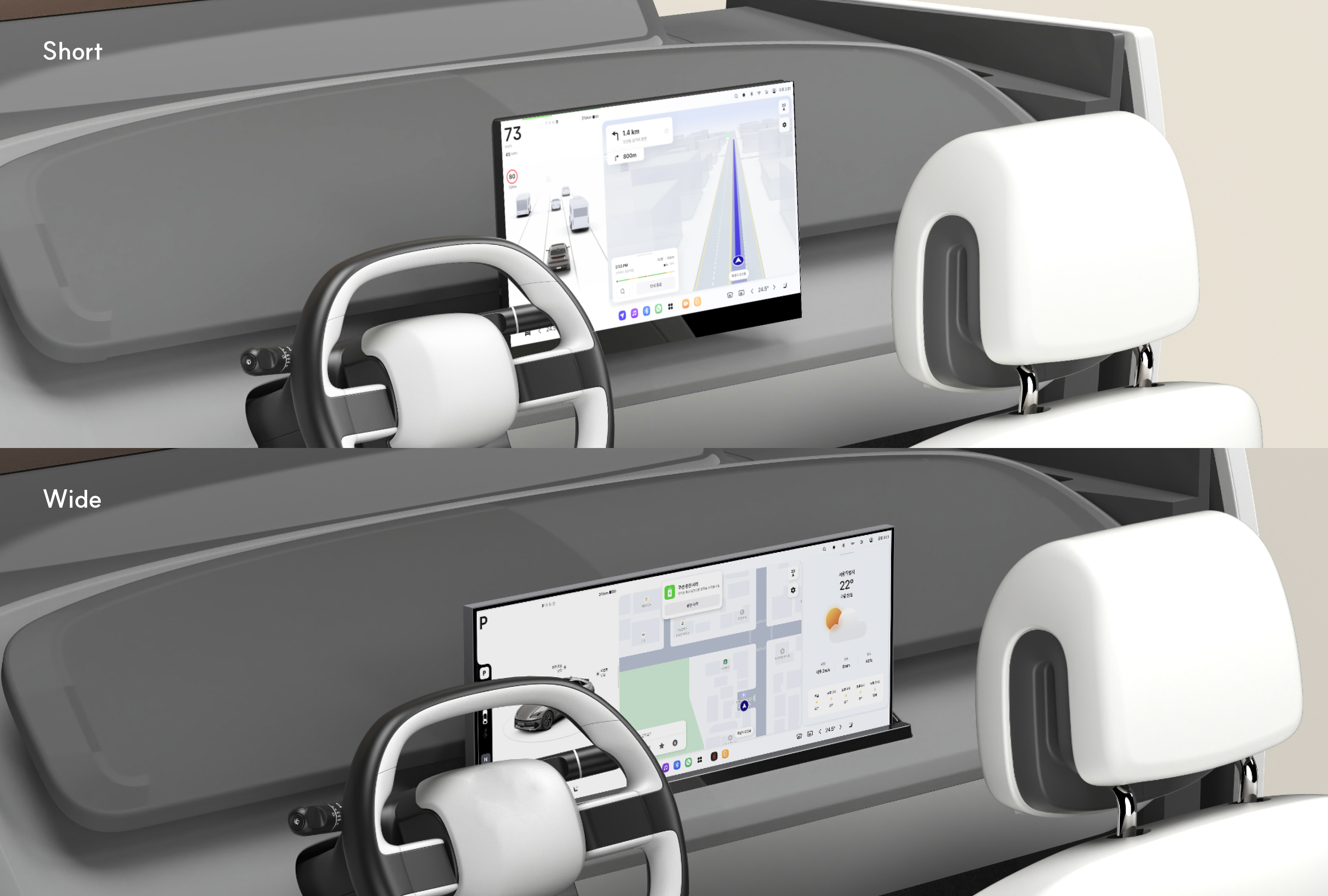
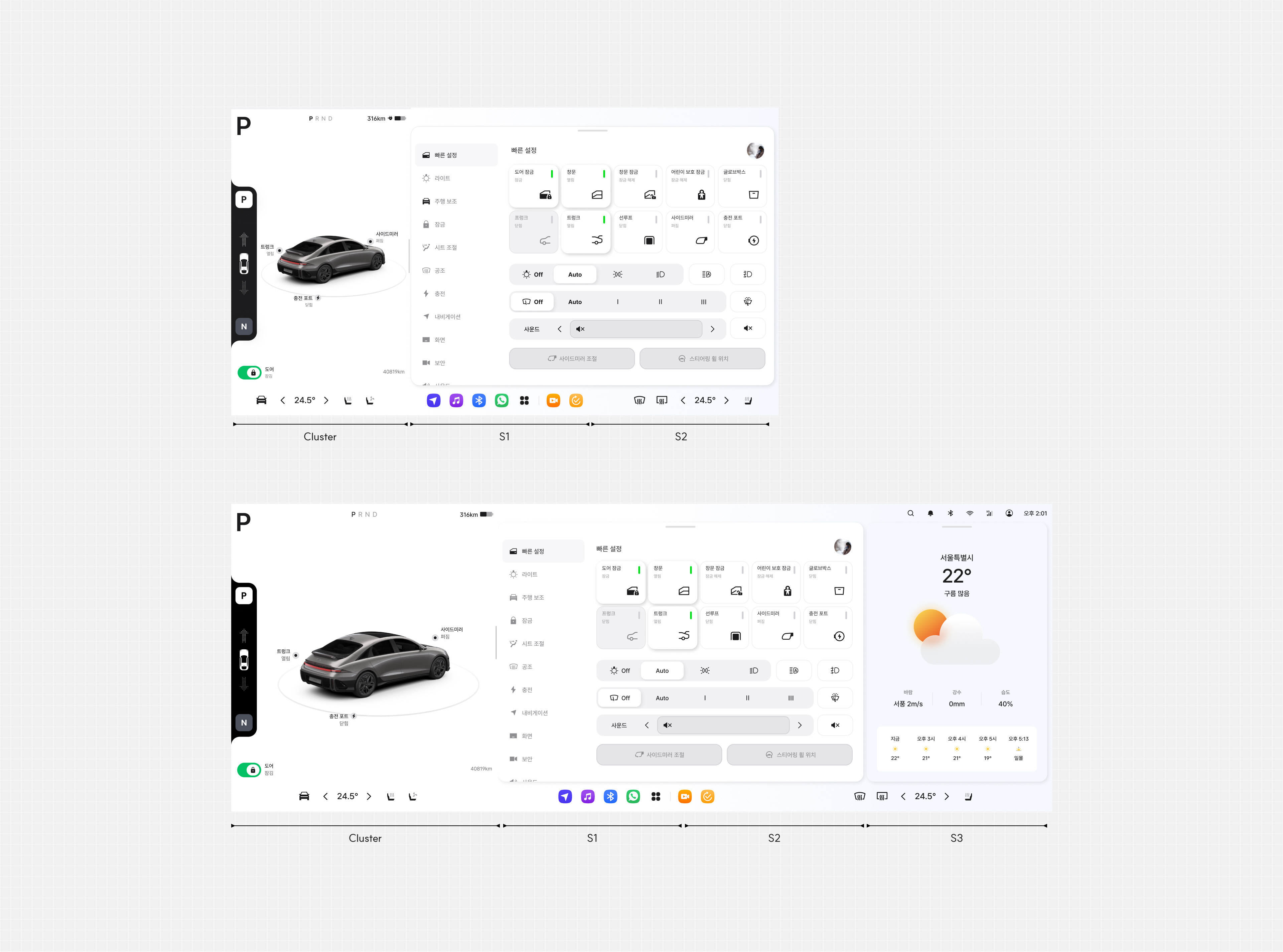
디스플레이는 16:9 비율의 Short 타입과, 가로로 더 긴 24:9 비율의 Wide 타입 두 가지로 구성하여 체험을 진행했습니다.
각 디스플레이에 특화된 UX를 도출하기 위해, 두 가지 버전에 맞춘 GUI 콘텐츠를 각각 제작했습니다.
The experience was conducted using two display configurations: a 'Short' type with a 16:9 aspect ratio and a horizontally longer 'Wide' type with a 24:9 aspect ratio. To derive a specialized UX for each display, we created distinct GUI content tailored to each of the two versions.
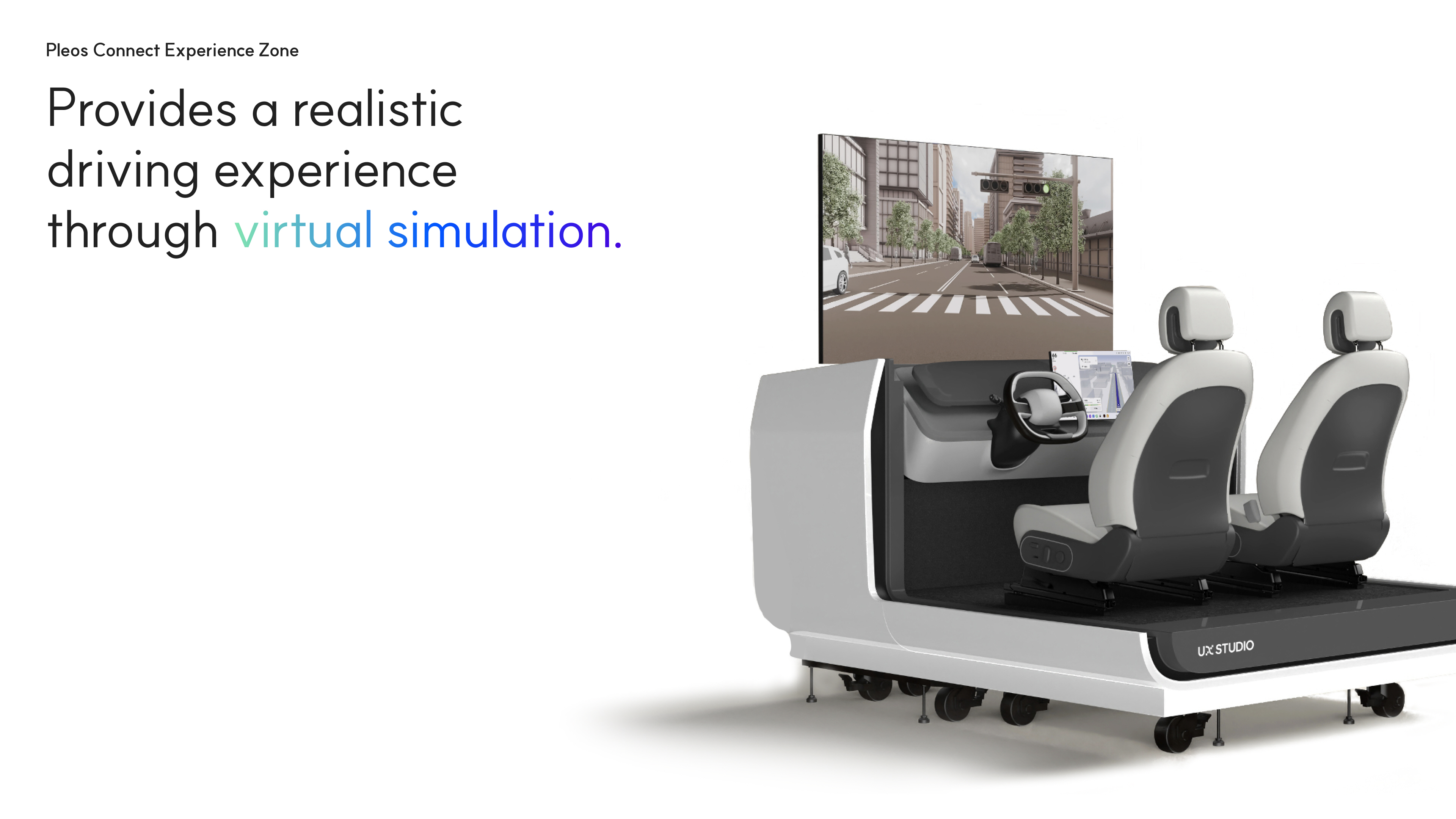
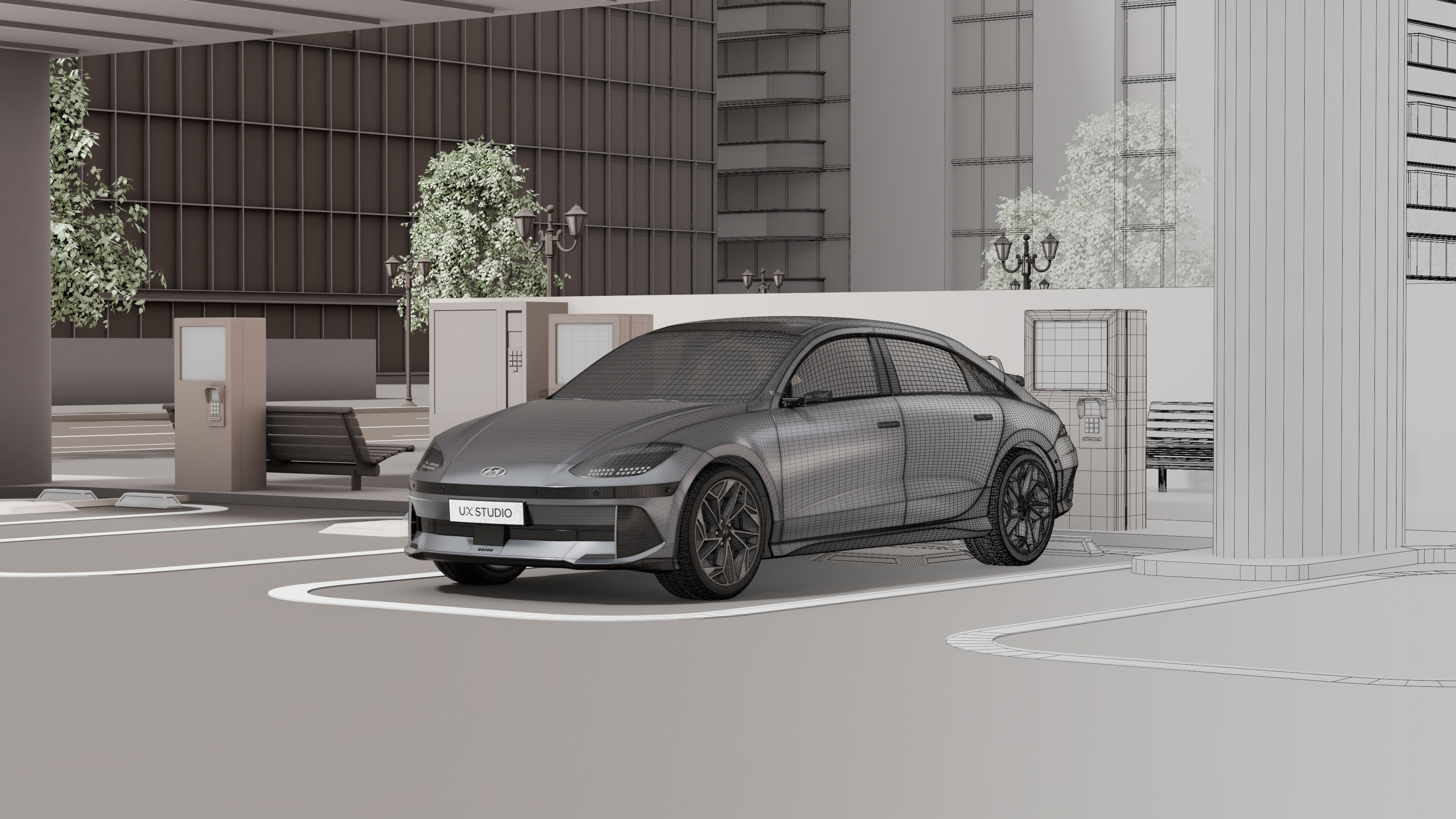
실제 주행처럼 느껴질 수 있도록, 사용자의 IVI 조작에 연동되어 현실감 있게 반응하는 전면 영상을 함께 제작하였습니다.
해당 영상은 차량의 윈드실드를 대체하는 전면 디스플레이에 구현되며, IVI에서 활성화된 모드나 기능을 시각적으로 안내합니다.
To provide a realistic driving sensation, we also produced a front-facing video that reacts in real-time, synchronized with the user's IVI operations. This video is shown on a front display that replaces the vehicle's windshield, visually guiding the user on the modes or functions activated in the IVI.
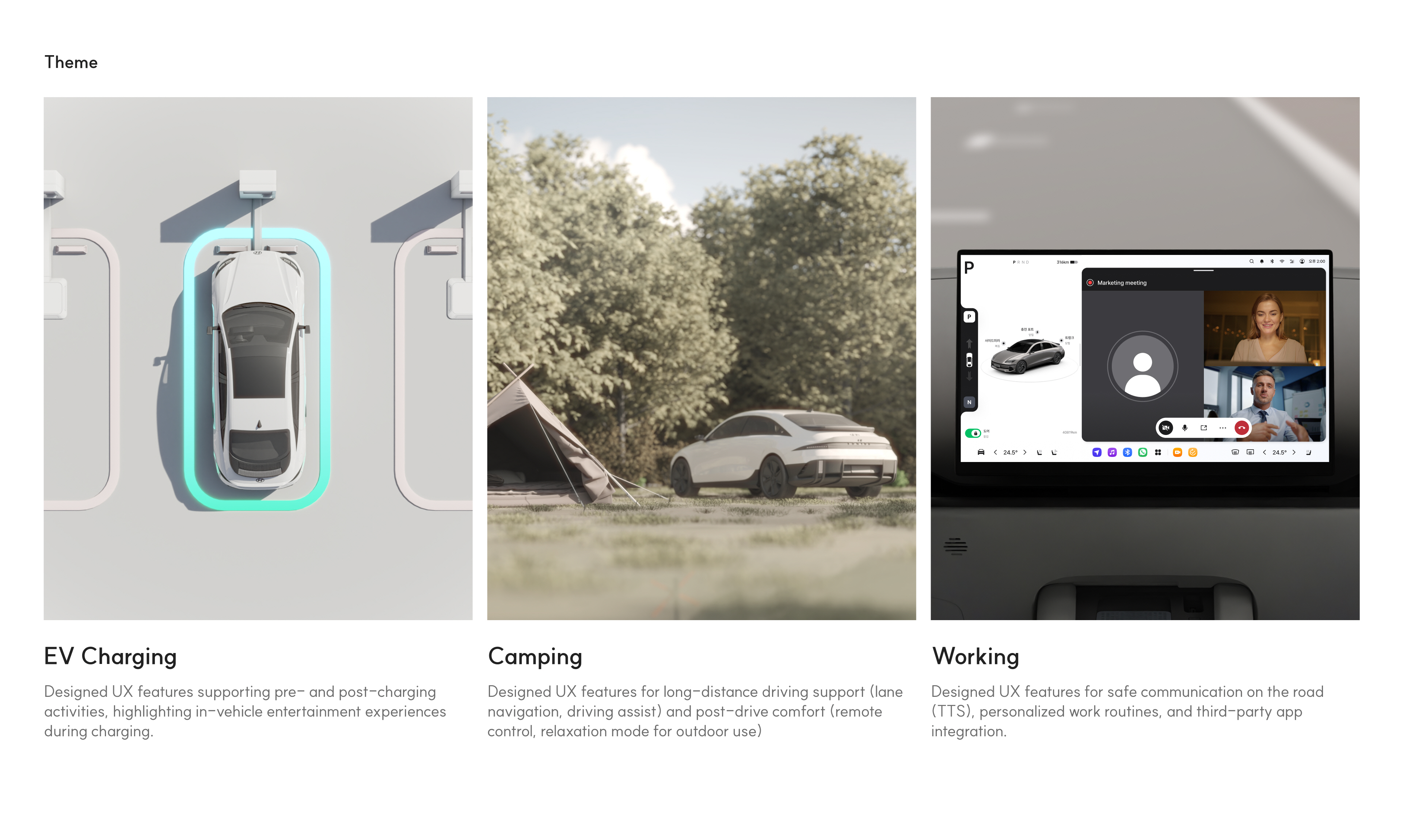
사용자는 충전, 캠핑, 업무 등 세 가지 주행 상황을 기반으로 실제 차량처럼 구성된 체험을 진행하게 됩니다.
각 상황에서 디스플레이 비율(16:9 vs 24:9)에 따라 달라지는 정보 구조와 사용성을 비교하며, 화면 크기에 따른 UX 차이를 직접 경험할 수 있습니다.
Users engaged in an experience designed to feel like a real vehicle, based on three driving situations: Charging, Camping, and Work. In each scenario, they could compare the different information structures and usability according to the display ratio (16:9 vs 24:9), directly experiencing the UX variations based on screen size.
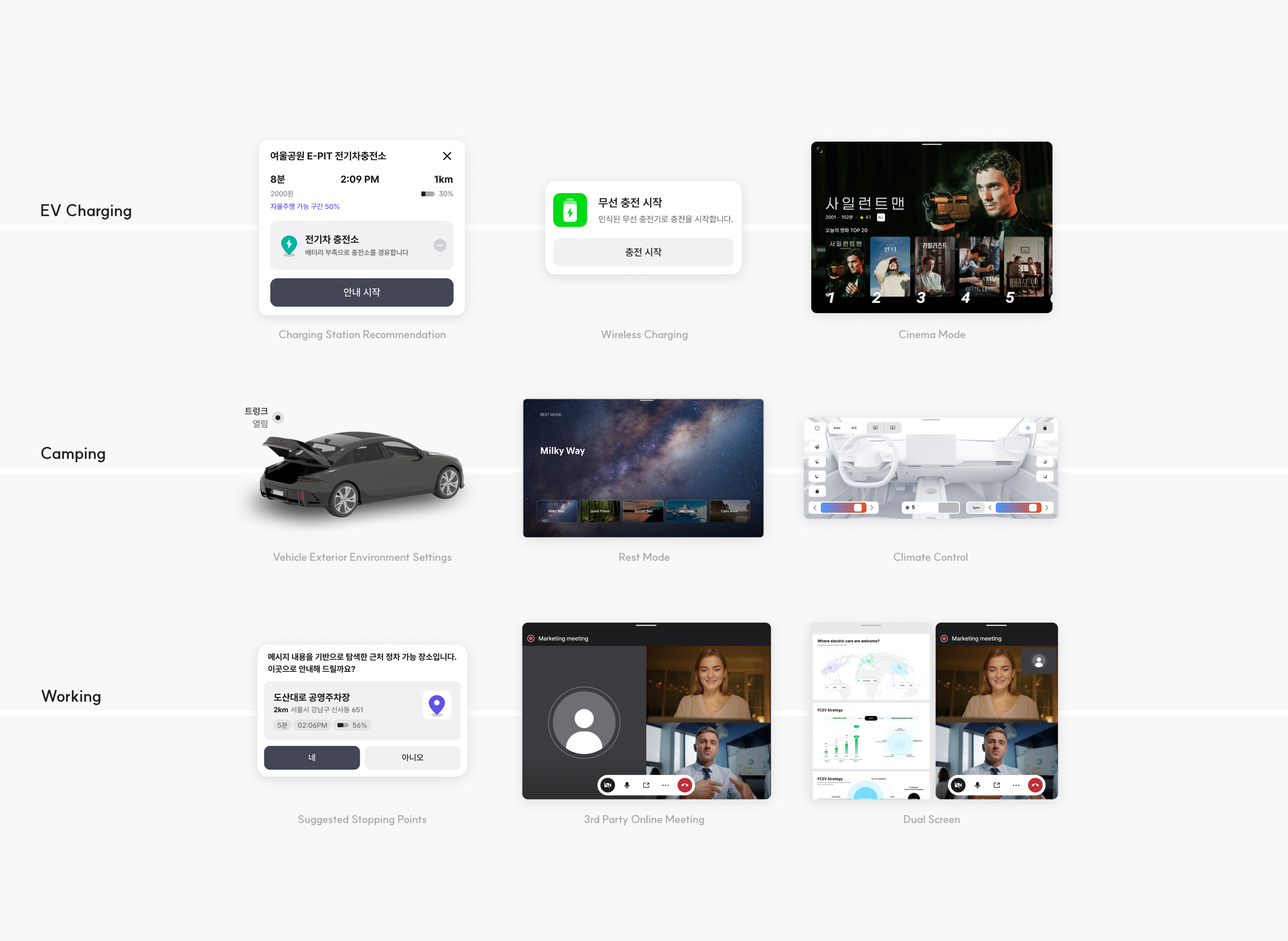
Pleos Connect의 주요 기능을 직접 체험할 수 있도록, 상황별로 핵심 Task를 설계하였습니다. 각 Task는 전면 디스플레이의 안내 자막과 TTS 음성으로 전달되며,
체험자가 일정 시간 내에 조작하지 않을 경우, IVI 내에 시각적 터치 가이드라인이 추가로 제공됩니다.
We designed core tasks for each situation to allow users to directly experience the main features of Pleos Connect. Each task is communicated through guide subtitles and TTS voice on the front display. If a user does not perform an action within a set time, additional visual touch guidelines are provided on the IVI.
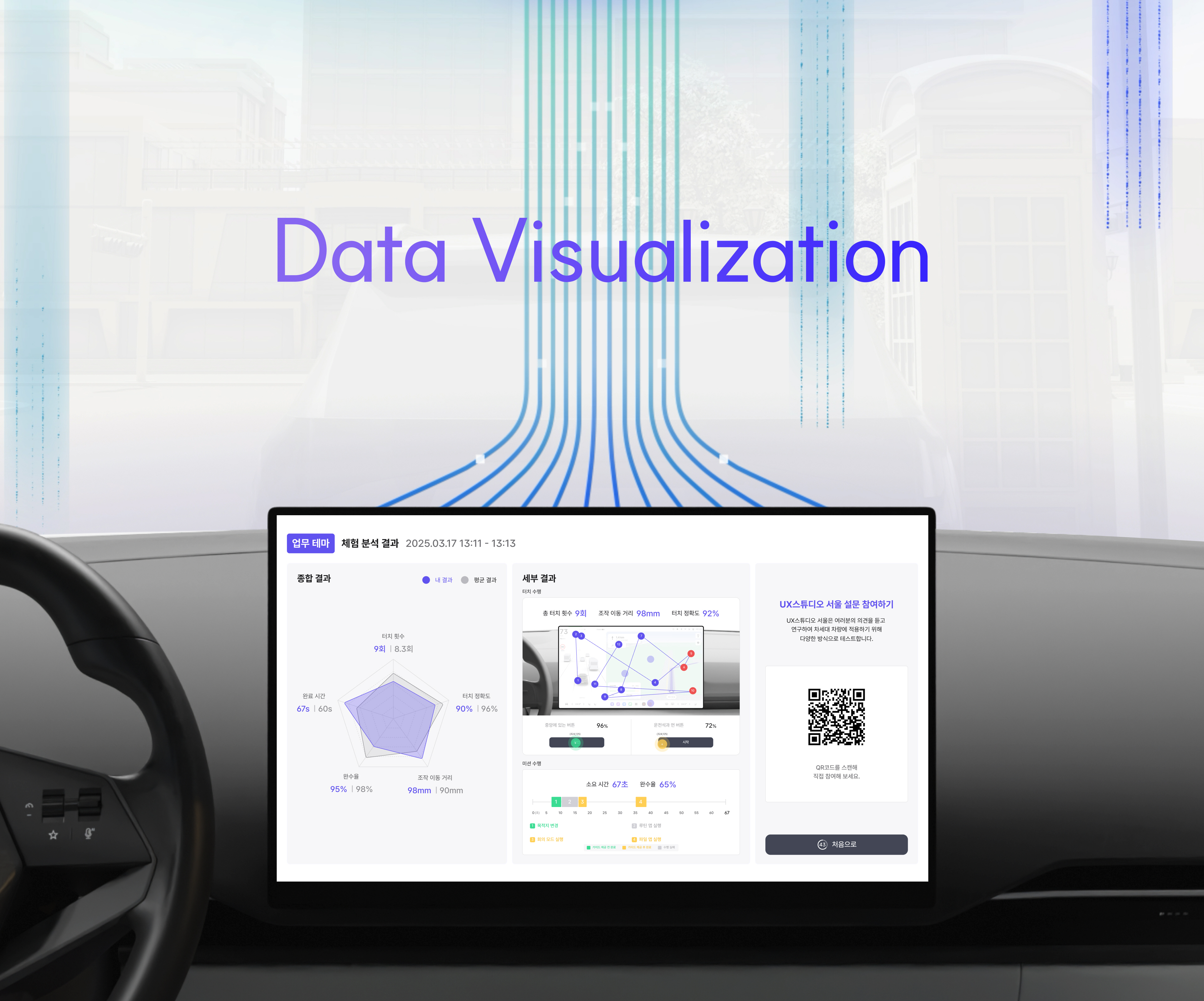
시나리오가 종료되면, 체험자의 사용 데이터를 즉시 시각화하여 한눈에 확인할 수 있도록 제공합니다.
터치 횟수, 조작 거리, 터치 정확도, 소요 시간, Task 완수율 등의 지표를 기반으로,디스플레이 유형별 UX 특화 요소를 객관적으로 도출할 수 있습니다.
Upon completion of the scenario, the user's interaction data is immediately visualized and provided for an at-a-glance review. Based on metrics such as the number of touches, operating distance, touch accuracy, time taken, and task completion rate, we can objectively derive specialized UX elements for each display type.
Hyundai UXStudio Pleos buck
- Company: Hyundai / Date: 2025 / Category: UX